RIFT Intel Fusion Tool

Fenris Creations
Creator Awards
Third Party App of the Year
Winner


This is amazing, leaps and bounds ahead of other tools, fantastic setup experience, very intuitive.
 YouKnowMyName
Thanks so much, absolutely amazing job on this program. 10/10
 AnthonyMong
This tool is amazing. That is all.
 OnlyLucky13
This is by far the best intel tool application anyone has built in the 17 years I have played.
 PREDATT0R
This app is best-in-class, seriously nice work here.
 sharddblade
I'm only here to say this tool rules.
 ThatNateGuy
Thank you! Amazing program you've created. Very impressive.
 HaBeeBee
What an awesome tool! Thank you and signing up as a Patreon supporter.
 Inpendius
This is about the most impressive tool I saw in my EVE career.
 Lybs
Lybs
Thank you very much for your incredible work, RIFT is truly awesome.
 Axtinux
Just stopping by to show respects to the most well crafted tool I’ve seen in 10 years.
 VΛЯG
VΛЯG
Master level programming. This is absolutely a game changer.
 Kage
Kage
Wow!! What an absolutely fantastic tool! The whole thing just feels so slick, polished and totally professional. It's surely one of the best EVE tools I've come across in the 20+ years I've been dipping in and out of EVE.
 PC
PC
This is amazing, leaps and bounds ahead of other tools, fantastic setup experience, very intuitive.
YouKnowMyName
Thanks so much, absolutely amazing job on this program. 10/10
AnthonyMong
This tool is amazing. That is all.
OnlyLucky13
This is by far the best intel tool application anyone has built in the 17 years I have played.
PREDATT0R
This app is best-in-class, seriously nice work here.
sharddblade
I'm only here to say this tool rules.
ThatNateGuy
Thank you! Amazing program you've created. Very impressive.
HaBeeBee
What an awesome tool! Thank you and signing up as a Patreon supporter.
Inpendius
This is about the most impressive tool I saw in my EVE career.
Lybs
Thank you very much for your incredible work, RIFT is truly awesome.
Axtinux
Just stopping by to show respects to the most well crafted tool I’ve seen in 10 years.
VΛЯG
Master level programming. This is absolutely a game changer.
Kage
Wow!! What an absolutely fantastic tool! The whole thing just feels so slick, polished and totally professional. It's surely one of the best EVE tools I've come across in the 20+ years I've been dipping in and out of EVE.
PC
Combining an extensive feature set with a sleek UI blending in with EVE.
Make use of your ESI data locally, without sending it off to web services you don't control.
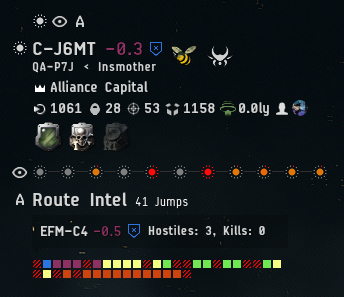
See information about your current system, nearby activity, and dangers along your route right in the game.
Choose what the overlay shows, spot hostiles and kills in the next system, and hover or click for a detailed breakdown.
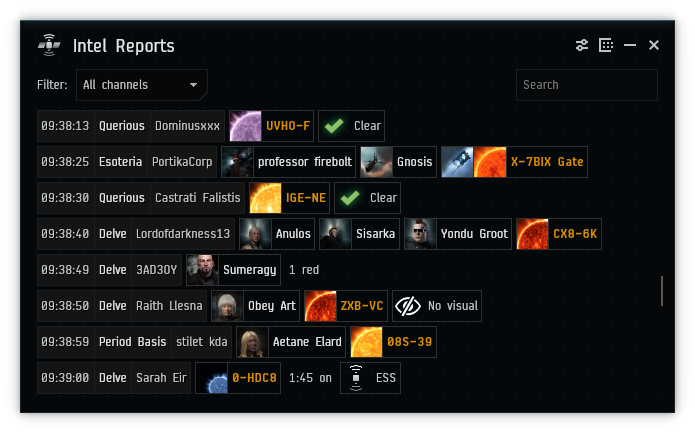
See what's happening in nearby systems, filter, sort, and dig into details. Tell friendlies and hostiles apart with coloring based on your standings.
RIFT not only reads, but understands intel reports. It sees new messages instantly, follows conversations across multiple follow-up messages, and recognizes many types of reports.
It maintains an awareness of the world based on past reports and can figure out missing information from context.
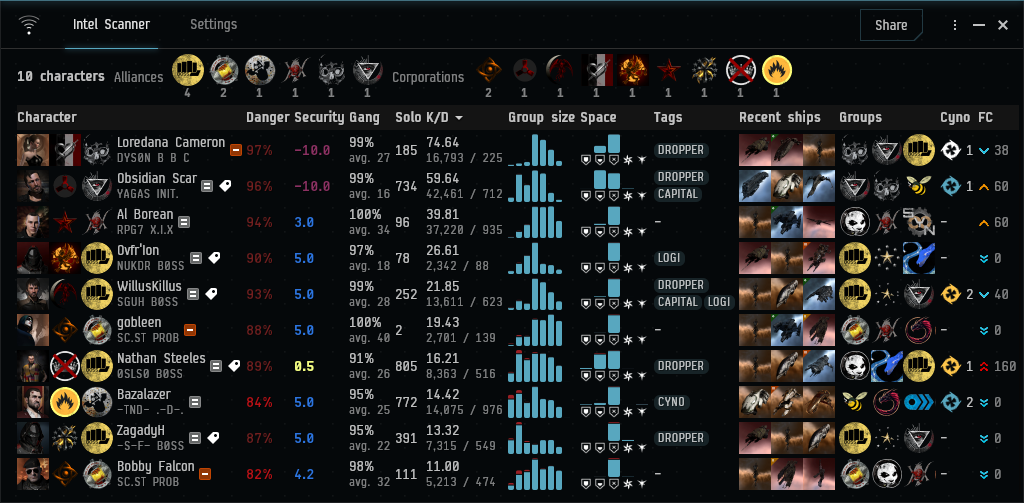
Copy characters from Local to see their affiliations, PvP activity, recently used ships, and more. Choose your columns, sort the results.
Copy a D-Scan to see ships grouped by class and category. Keep multiple scans open in tabs and share your findings.
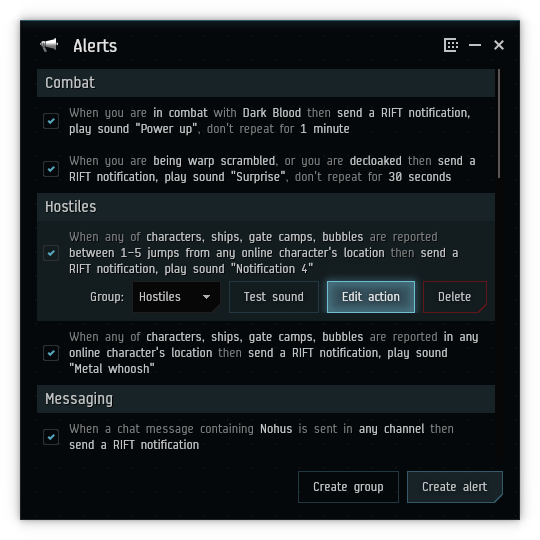
Set up alerts exactly how you want based on configurable triggers and conditions, including dynamic ones like current location or based on online characters.
In response to alerts, RIFT can show its own notifications, play sounds, and use the system notifications.
The built-in configurable map shows the information you want, including current and historic intel reports, and live kills from zKillboard.
It also shows the location of your characters, and has all the interactive features you'd expect.
See your route on the map, including jump bridges.
Right-click a system anywhere in the app to set your autopilot.
The map can show the number of jumps, kills, NPC kills, stations, assets you own, incursion status, faction warfare status, sovereignty, jump ranges, and more.
View your assets across all characters. Filter, sort, and search through them, and view or copy fittings of your ships.
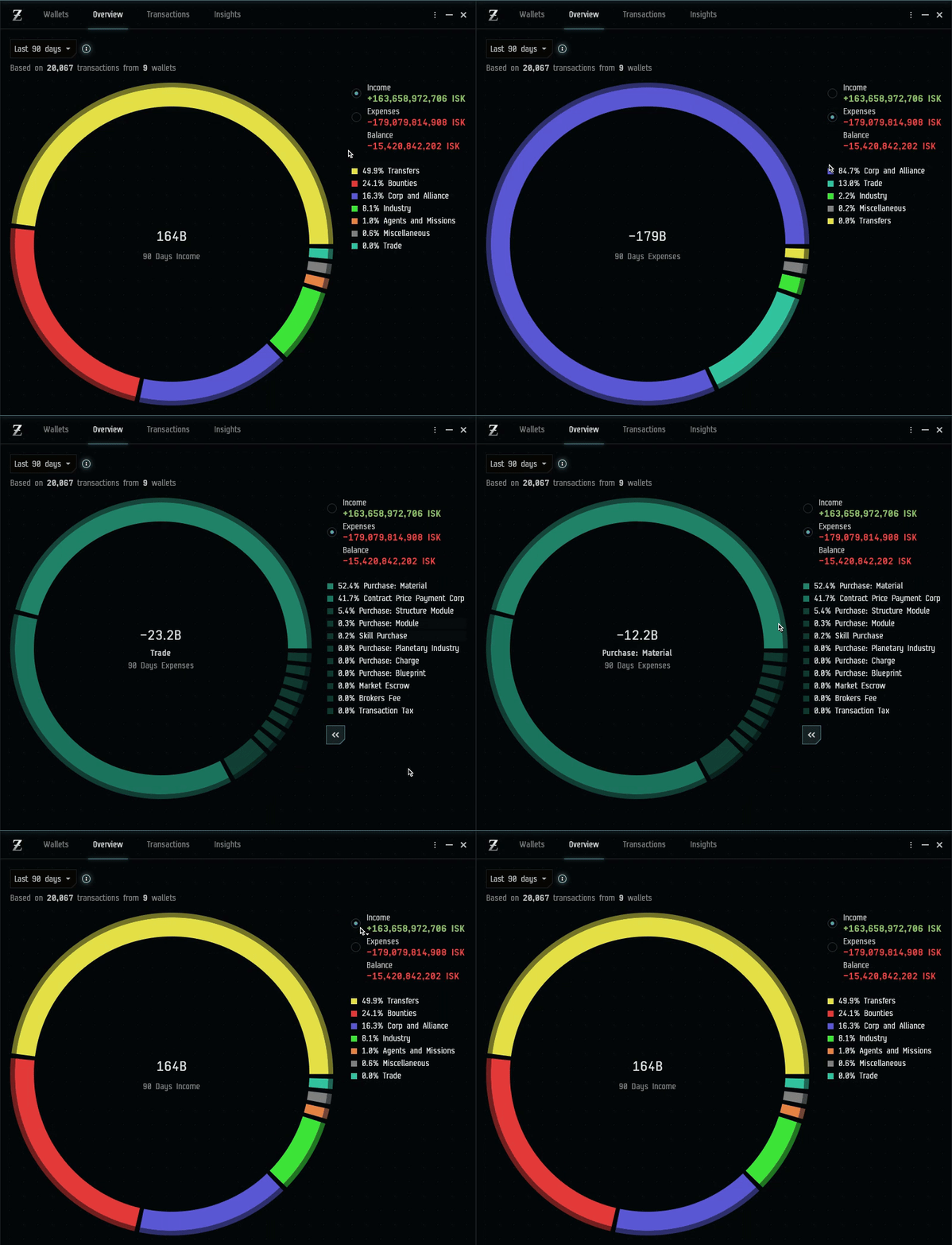
Bring your character and corporation wallets together. Break down income and expenses with interactive charts, search transactions, and see where your ISK comes from and goes.
Check ratting statistics, daily goal streaks, and activity by character or transaction party.
View Loyalty Points and EverMarks across your characters.
View all your colonies in one place, with real-time details. Fast-forward to the future and see issues like storages getting full before they happen and setup alerts for them.
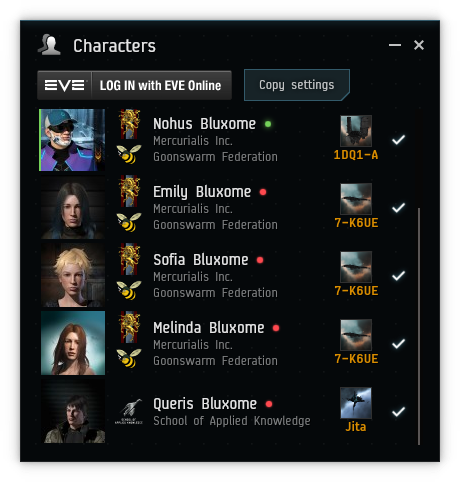
RIFT works with multiple characters, and you can instantly view the status of each, including jump clones and implants.
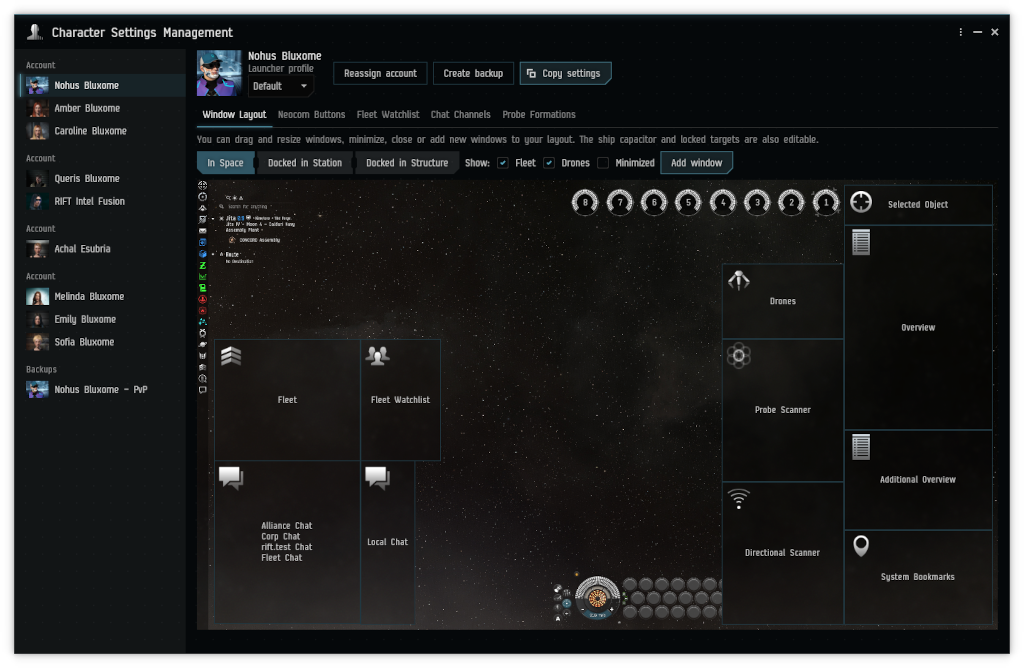
Edit your in-game window layout, Neocom buttons, fleet watchlist, and custom probe formations directly in RIFT.
Copy just the settings you need between characters and launcher profiles. Create backups and restore your setup whenever you need it.
RIFT natively supports Windows, Linux, and macOS.
No, RIFT is a standalone application with no server component.
Yes, visit the source code page for downloads.
 Join Discord